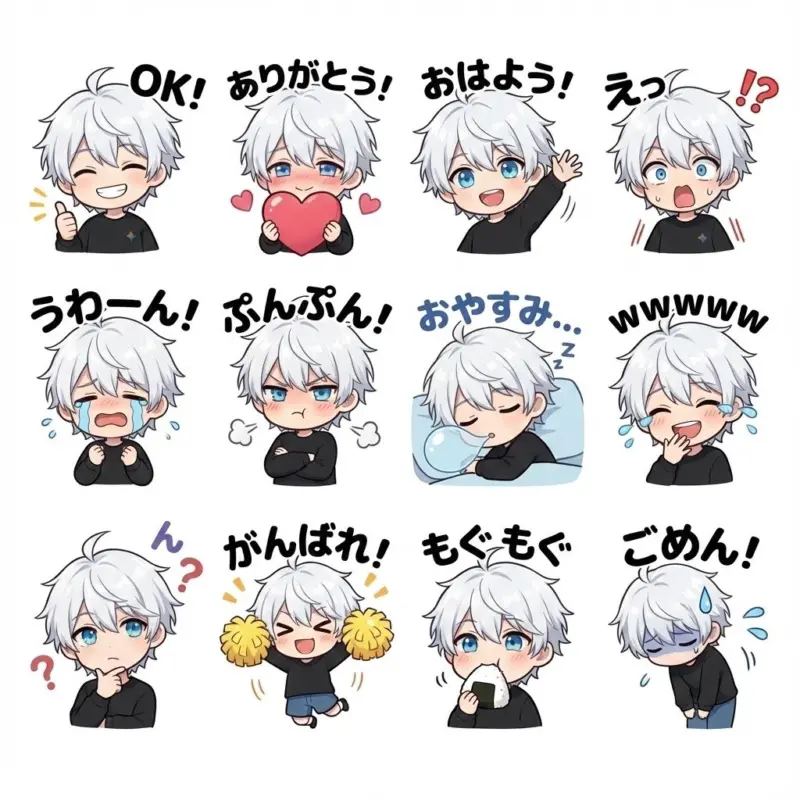
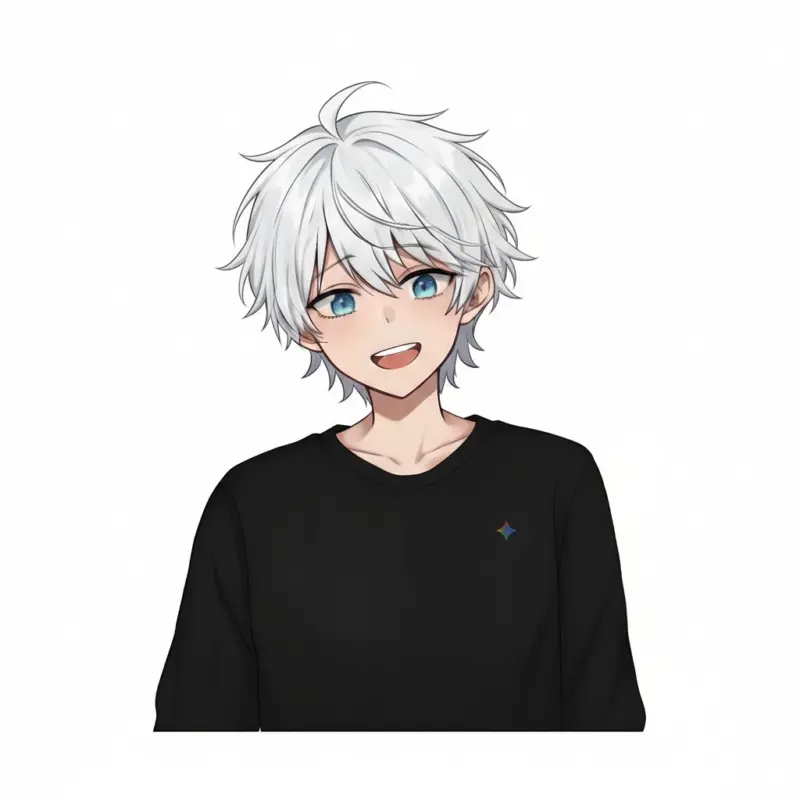
Creating custom LINE stickers can be a costly and time-consuming process, often requiring hiring a designer for a significant fee. But what if you could generate a complete, professional-quality sticker set in an instant? With the power of Google’s new Nano Banana Pro model, that’s now a reality. Here at TipTinker, we’re showing you the exact prompt that turns your character into a full set of expressive stickers.
This technique was highlighted in a viral X post, where a user demonstrated how to bypass thousands of dollars in design costs with one simple command. Let’s break it down.
The Core Concept: One Prompt to Rule Them All
Nano Banana Pro is a powerful multimodal AI, meaning it can understand both text and image inputs simultaneously. This allows you to provide a picture of your character and instruct the AI on how to transform it. The magic lies in a clear, concise prompt that specifies style, quantity, and variety.
Here is the powerhouse prompt:
Turn the character in the attached image into a chibi character. Create LINE stickers. 12 types with different expressions, poses, and dialogue included.
This prompt works so well because it’s direct and leaves no room for misinterpretation. It tells the AI to:
- Analyze the input image.
- Adopt a specific art style (“chibi character”).
- Define the output format (“LINE stickers”).
- Set the quantity (“12 types”).
- Ensure variety (“different expressions, poses, and dialogue”).
Step-by-Step Guide to Creating Your Stickers
Ready to try it yourself? Follow these simple steps.
- Step 1: Open Nano Banana Pro: Navigate to a platform where the model is available, such as Google AI Studio or the advanced version of Gemini.
- Step 2: Upload Your Character Image: Find the option to upload an image (often a paperclip icon). Select a clear, front-facing image of your character for the best results.
- Step 3: Enter the Prompt: Copy and paste the prompt from the code block above into the text input field.
- Step 4: Generate & Review: Hit the generate button and watch Nano Banana Pro create a grid of 12 unique stickers. Review them for consistency and quality.
- Step 5: Save Your Stickers: Download the generated images. You may need to use an image editor to ensure they meet the size and transparency requirements for the LINE Creators Market.
[Image: A screenshot showing the Nano Banana Pro interface with an uploaded character image on the left and the prompt entered in the text box on the right.]
🚀 Pro-Tips for Perfecting Your Stickers
Want to customize the output even further? Try modifying the prompt with these tips.
| Tweak This… | To Achieve This… | Example Modification |
|---|---|---|
| Expressions | Specify exact emotions. | “…with happy, angry, crying, and surprised expressions.” |
| Dialogue | Control the text on stickers. | “…dialogue included, such as ‘OK!’, ‘Thanks!’, ‘Why?’, and ‘LOL’.” |
| Poses | Get more dynamic actions. | “…different poses, including waving, thinking, and celebrating.” |
| Theme | Create seasonal or event sets. | “Create 8 Halloween-themed stickers…” |
The barrier to creating custom digital content is officially lower than ever. With Nano Banana Pro and a well-crafted prompt, you can become a sticker creator in minutes, not weeks. This single prompt saves you the high costs of outsourcing and puts creative control directly in your hands.
Go ahead and integrate this into your workflow today and see the difference. Bring your characters to life!