Chrome Extension: https://chromewebstore.google.com/detail/markdown-converter/dpgapbpmmacapacfjjdjhmbgpfdkbnli
Firefox Extension: https://addons.mozilla.org/en-US/firefox/addon/markdown-converter-tiptinker/
Google Play: https://play.google.com/store/apps/details?id=com.tiptinker.markdownconverter&hl=en
App Store: https://apps.apple.com/us/app/mdconverter/id6764042576
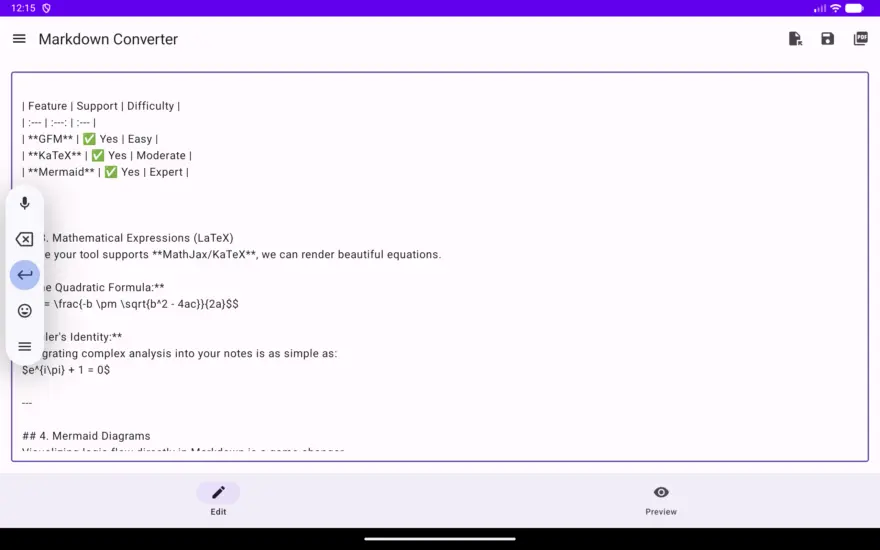
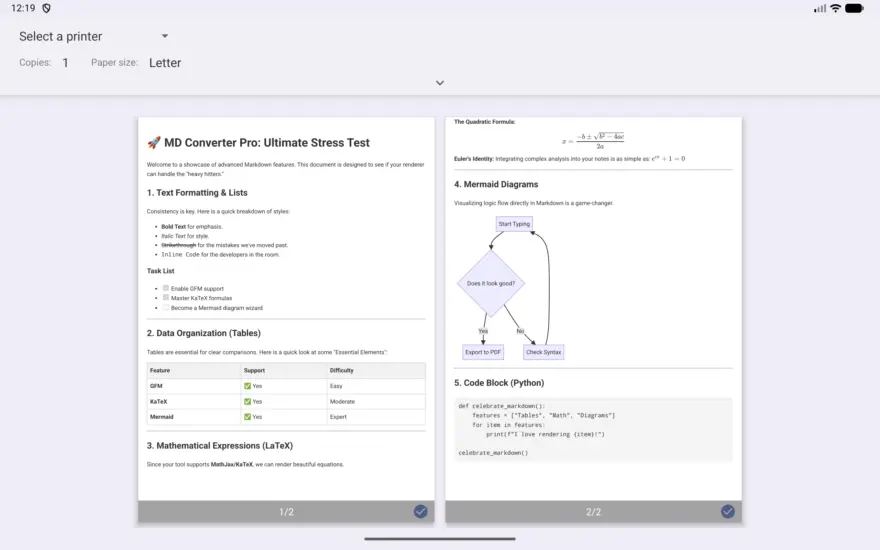
Have you ever copied a brilliant response from an AI like Gemini, ChatGPT or Claude, only to find your document filled with confusing hashtags (#), asterisks (*), and backticks (“`)?
While Markdown is the gold standard for writing on the web, it isn’t always the best format for reading or sharing. Whether you are a developer, a content creator, or a student, you often need that text converted into clean, styled HTML for your website, email, or portfolio.
That’s where the Markdown to HTML Converter comes in—the fastest, most reliable way to bridge the gap between raw code and polished content.
Why Convert Markdown to HTML?
Markdown is a “lightweight markup language,” meaning it’s designed for easy writing. However, web browsers and email clients speak HTML (HyperText Markup Language). Converting your text allows you to:
- Maintain Formatting: Ensure your headers, bold text, and lists look exactly as intended.
- Ready-to-Publish Code: Get clean HTML snippets to paste directly into your CMS (like WordPress or Ghost).
- Professional Emails: Send beautifully formatted updates without the messy Markdown syntax showing up in your recipient’s inbox.
- Improved Readability: Transform dense blocks of code into visually appealing, structured web pages.
Key Features of the Converter
We designed this tool with one goal: Simplicity without sacrifice.
1. Instant Real-Time Preview
No more “convert and hope.” As you paste or type your Markdown on the left, you see the rendered HTML result immediately on the right. It’s the ultimate “What You See Is What You Get” (WYSIWYG) experience.
2. Perfect for AI-Generated Content
AI models almost exclusively communicate in Markdown. Our converter is optimized to handle the specific nesting, tables, and code blocks generated by modern Large Language Models (LLMs).
3. Clean, Semantic Code
We don’t add “bloat.” The HTML generated is lean, SEO-friendly, and follows modern web standards, making it easy to style with your own CSS.
4. Privacy First
Your data stays yours. The conversion happens right in your browser, meaning your sensitive documents or private drafts are never stored on a server.
How to Use the Markdown to HTML Converter
Using the tool is as easy as three simple steps:
- Paste: Drop your Markdown text into the input field.
- Review: Watch the live preview to ensure your formatting (tables, links, images) is correct.
- Copy: Click the “Copy HTML” button and paste it wherever you need it!
| Feature | Markdown | HTML Output |
|---|---|---|
| Headers | # Header | <h1>Header</h1> |
| Bold | Text | <strong>Text</strong> |
| Lists | * Item | <ul><li>Item</li></ul> |
Boost Your Workflow Today
In the era of AI-driven productivity, don’t let formatting slow you down. Stop manually editing tags and start using this tool that does the heavy lifting for you.
简体中文
Markdown 转 HTML
将 Markdown 文本即时转换为干净、可用于生产环境的 HTML 代码,并支持实时预览。
한국어
Markdown → HTML 변환기
Markdown 텍스트를 즉시 깔끔한 프로덕션용 HTML 코드로 변환하고, 실시간 미리보기를 제공합니다.
日本語
Markdown を HTML に変換
Markdown テキストをクリーンで本番向きの HTML コードに即座に変換し、ライブプレビューも表示します。