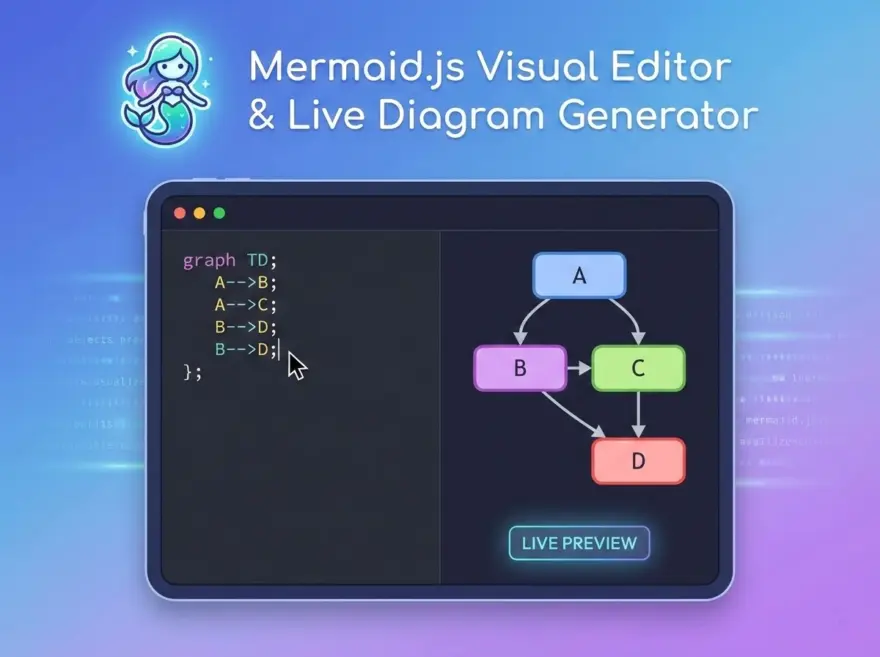
Mermaid.js Visual Editor — Live Mermaid Preview and Export
The Mermaid Visual Editor is a lightweight, browser-based editor for Mermaid diagrams (flowcharts, sequence diagrams, state machines, and more). You can write or paste Mermaid code, see a live preview of the rendered diagram (when Mermaid.js is allowed to load), and copy the source text for use in Markdown, GitHub, Notion, or any Mermaid‑enabled viewer.
Why use this tool?
- Single workspace: Draft and tweak Mermaid syntax without switching between multiple tabs or tools.
- Instant feedback: Adjust your diagram code and see the preview update as you type, so you can quickly fix syntax or layout issues.
- Copy‑ready output: Export clean Mermaid text that drops directly into docs, READMEs, wikis, and note‑taking apps.
- Built‑in reference: Keep a quick cheat sheet for
graph LR, arrows, and edge labels right beside the editor.
Key features
- Code editor area: Edit Mermaid source (
graph LR,graph TD,sequenceDiagram,classDiagram, and more) in a dedicated text area. - Live Mermaid preview: When the page can load Mermaid.js, the Preview panel renders your diagram as SVG so you can visually validate the structure.
- Copy code button: One‑click copy of your current Mermaid text, ready to paste into GitHub, Notion, or mermaid.live.
- Helpful defaults: The tool starts with a simple example graph so you can immediately see valid Mermaid syntax and modify it to match your needs.
How it works
Type or paste Mermaid code into the editor. The tool stores your text and, when Mermaid.js is available, renders a live diagram preview next to it. At any time, you can click Copy code to place the raw Mermaid source on your clipboard and reuse it in your preferred Markdown or documentation environment.
Even if a particular environment blocks external scripts, the editor still works as a clean Mermaid code scratchpad and copy‑helper: you write the diagram definition here, then paste it into a Mermaid‑capable viewer to render.
Try the Mermaid Visual Editor
Start from the default example (a small decision flow) or paste your own Mermaid diagram. Tweak node labels, arrows, and directions (LR, TD, etc.), watch the preview update, and copy the final code into your documentation, wiki, or Mermaid live editor.