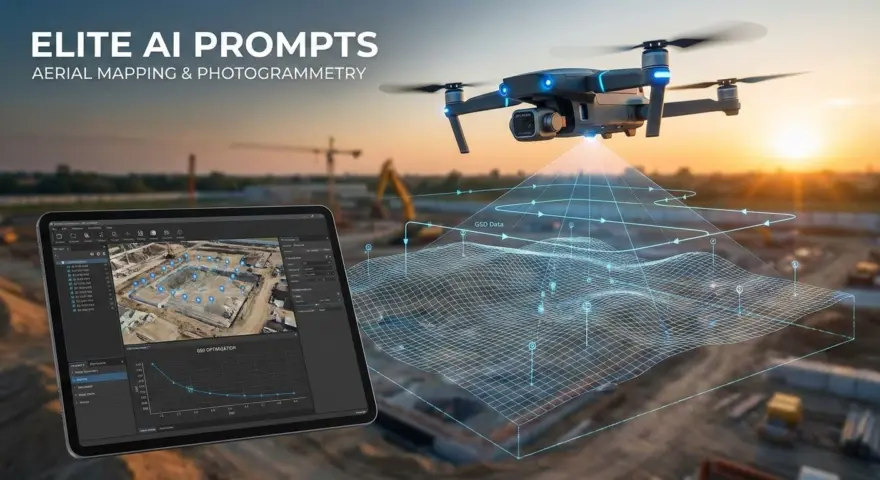
The integration of artificial intelligence into aerial operations has fundamentally shifted how Drone and UAV pilots approach mapping and photogrammetry. Modern AI models have evolved beyond simple text generation; they act as sophisticated co-pilots capable of calculating Ground Sampling Distance (GSD), optimizing flight paths for complex terrain, and troubleshooting photogrammetry stitching errors.
The prompts below have been rigorously tested and optimized for all major AI models, including ChatGPT, Gemini, Claude, and DeepSeek. While each model possesses unique architectures—DeepSeek often excelling in logic-heavy tasks, Claude in nuanced safety documentation, and Gemini in large-scale data analysis—these 10 prompts provide a universal foundation for elevating your aerial mapping workflows.
1. Optimizing Ground Sampling Distance (GSD) Calculations
Best for: DeepSeek (for handling mathematical logic and variables)
Calculating the precise GSD is critical for ensuring client deliverables meet resolution requirements without over-collecting data. This prompt forces the AI to consider sensor size, focal length, and altitude variables to output a precise flight plan recommendation.
Act as a Lead Photogrammetrist. I need to achieve a Ground Sampling Distance (GSD) of [TARGET GSD, e.g., 2 cm/pixel] for a survey using a [DRONE MODEL] with a [SENSOR SIZE] and [FOCAL LENGTH].

Calculate the required flight altitude in both meters and feet. Furthermore, analyze the trade-off between flying lower for better GSD versus the increased flight time and battery usage. Provide a recommendation for the optimal altitude that balances data quality with operational efficiency.
The Payoff: Eliminates manual calculation errors and provides a strategic rationale for flight altitude, ensuring you meet client specs efficiently.
2. Generating Site-Specific Risk Assessments (SORA/Part 107)
Best for: Claude (for professional nuance and safety-oriented language)
Safety documentation is often the bottleneck in pre-flight planning. This prompt helps generate a robust risk assessment tailored to specific environmental hazards, suitable for regulatory compliance or internal safety logs.
Act as an Aviation Safety Officer. Create a detailed pre-flight risk assessment for an aerial mapping mission at [LOCATION TYPE, e.g., an active construction site near a highway].

Identify 5 specific potential hazards related to UAV operations in this environment (e.g., RF interference, crane operations, moving traffic). For each hazard, propose a specific mitigation strategy. Format this as a formal risk assessment table suitable for a flight operations manual or client safety briefing.
The Payoff: drastically reduces the time spent on compliance paperwork while ensuring no critical safety vectors are overlooked.
3. Troubleshooting Image Stitching Artifacts
Best for: ChatGPT (for versatile technical troubleshooting)
When orthomosaics fail to process correctly, identifying the root cause—whether it’s insufficient overlap, rolling shutter effect, or homogenous terrain—is difficult. This prompt diagnoses common photogrammetry errors.
I am processing a photogrammetry dataset in [SOFTWARE NAME, e.g., Pix4D/Agisoft Metashape] and seeing [ERROR DESCRIPTION, e.g., "holes" in the point cloud or "warping" on building edges].

The flight was conducted at [ALTITUDE] with [OVERLAP %]. Based on these parameters and the error described, list the 3 most likely causes of this artifacting. For each cause, provide a specific fix for the processing settings or a recommendation for re-flying the mission.
The Payoff: Acts as an instant technical support engineer, helping you salvage data sets or correct processing parameters without hours of forum searching.
4. Drafting Technical Scopes of Work (SOW)
Best for: Claude (for persuasive and professional writing)
Winning high-value mapping contracts requires clearly articulating technical deliverables. This prompt helps translate technical specs into a compelling business proposal.
Write a Scope of Work (SOW) section for a proposal to a [CLIENT TYPE, e.g., Civil Engineering Firm]. We are providing a topographic map and 3D mesh of a [SIZE] acre site.

Clearly define the following deliverables: Orthomosaic (GeoTIFF), Digital Surface Model (DSM), and 3D Point Cloud (.LAS). Explain the value of each deliverable for their engineering workflow (e.g., volume calculations, line-of-sight analysis) in professional, confident language.
The Payoff: elevates your perceived authority by communicating the engineering value of your data, rather than just listing file formats.
5. Designing Complex Terrain Flight Plans (Terrain Following)
Best for: DeepSeek (for logic and spatial reasoning)
Mapping steep or uneven terrain requires careful overlap management to avoid data gaps. This prompt assists in planning terrain-aware missions.
I need to map a [TERRAIN TYPE, e.g., steep quarry face or hillside] with a vertical elevation change of [ELEVATION CHANGE].

Explain how I should adjust my flight path and overlap settings to maintain consistent GSD and sufficient overlap. Compare the advantages of a standard grid mission versus a terrain-following mission for this specific topography. Recommend the specific overlap percentages (front and side) to prevent data gaps.
The Payoff: Prevents the costly need for re-flights by ensuring your flight plan accounts for significant elevation changes before you leave the ground.
6. LiDAR vs. Photogrammetry Feasibility Analysis
Best for: Gemini (for analyzing complex comparative data)
Clients often request LiDAR when photogrammetry would suffice, or vice versa. This prompt helps you generate an unbiased comparison to guide the client toward the right technology.
A client wants a survey of a [SITE CONDITIONS, e.g., dense forest with heavy canopy] to generate a bare-earth Digital Terrain Model (DTM).

Compare the feasibility of using LiDAR versus Photogrammetry for this specific site. Outline the limitations of photogrammetry in penetrating vegetation compared to LiDAR. Provide a recommendation on which sensor payload is required to achieve a true ground model in these conditions.
The Payoff: Saves you from committing to a project where the technology cannot deliver the required results, protecting your reputation.
7. Automating GCP (Ground Control Point) Placement Strategy
Best for: ChatGPT (for operational strategy)
Correct placement of GCPs is essential for georeferencing accuracy. This prompt generates a strategic layout plan based on the site’s geometry.
I am mapping a rectangular site that is approximately [DIMENSIONS, e.g., 500m x 200m]. I have 10 Ground Control Points (GCPs) available.

Describe the optimal geometric distribution of these GCPs to ensure high global accuracy and minimize "bowling" or doming effects. Explain where to place points relative to the perimeter and the center of the site.
The Payoff: Ensures your survey data achieves survey-grade accuracy by adhering to best practices in control point distribution.
8. Creating Post-Flight Data Quality Checklists
Best for: Claude (for structured, procedural content)
Verifying data quality while still on-site is the golden rule of aerial mapping. This prompt creates a checklist to validate data before leaving the field.
Create a "Field Data Validation Checklist" for a drone mapping pilot to use immediately after landing, before leaving the job site.

Include checks for image count, histogram/exposure verification, blur detection, and battery log updates. Organize the items in chronological order of importance to ensure the raw data is viable for processing.
The Payoff: Reduces the risk of returning to the office only to discover corrupted SD cards or blurry images, saving time and travel costs.
9. Interpreting Processing Reports
Best for: Gemini (for synthesizing large amounts of technical info)
Processing reports from software like Pix4D or Metashape contain dense metrics. This prompt helps you interpret the “Quality Report” to ensure accuracy standards are met.
I have a Quality Report that shows a "Camera Optimization" difference of [VALUE, e.g., 5%] and a "Matches per Image" count of [NUMBER].

Explain what these specific metrics indicate regarding the accuracy of the aerial triangulation. Is a 5% difference in internal camera parameters acceptable, or does it indicate a calibration issue? Explain in simple terms I can relay to a non-technical stakeholder.
The Payoff: Empowers you to confidently validate the accuracy of your models and defend your data quality to engineers or surveyors.
10. Standardizing File Naming Conventions
Best for: ChatGPT (for organizational logic)
As project volume grows, data management becomes chaotic. This prompt establishes a scalable system for file organization.
Propose a standardized file naming convention and folder structure for a drone mapping business handling multiple projects per week.

The structure should account for: Raw Images, GCP Data, Processed Orthomosaics, DEMs, and Client Reports. Provide a template for the naming syntax (e.g., YYYY-MM-DD_ProjectName_DataType) that ensures easy sorting and retrieval.
The Payoff: Streamlines data management and archiving, making it effortless to locate specific assets for repeat clients or audits.
Pro-Tip: Context Injection
To get the most out of these prompts, always “prime” the AI with the specific hardware you use. Before asking a question, state: “I operate a DJI Mavic 3 Enterprise using RTK positioning.” This context allows the AI to tailor advice specifically to your airframe’s capabilities, such as avoiding advice about mechanical shutters if your drone uses an electronic one, or giving specific RTK workflow tips.
Developing a mastery of AI prompting is effectively adding a specialized data analyst and safety officer to your flight crew. By consistently refining how you query these models, you move from simple drone operation to managing a sophisticated, data-driven aerial intelligence workflow.