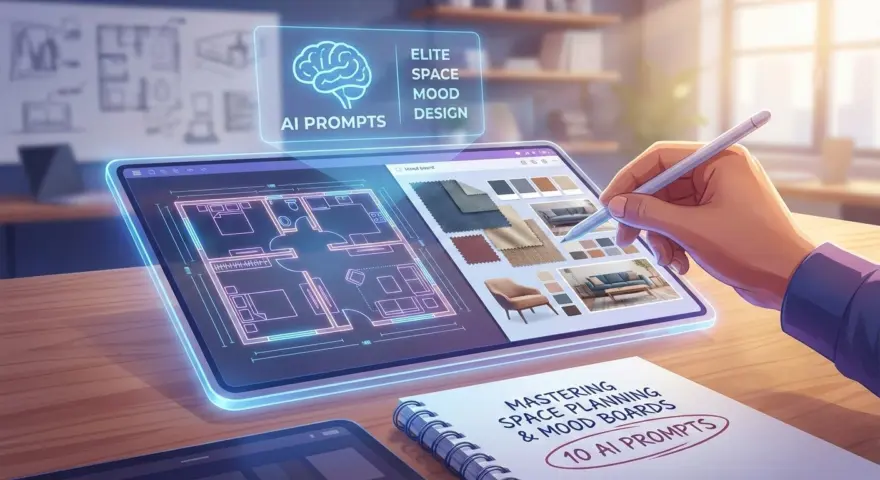
Modern artificial intelligence has fundamentally shifted the operational landscape for interior design professionals. It is no longer just about generating images; it is about leveraging large language models to streamline client intake, automate technical specifications, and refine conceptual development.
The following prompts have been rigorously tested and optimized for ChatGPT, Gemini, Claude, and DeepSeek. While each platform possesses distinct architectures—DeepSeek excels at logic and coding, Claude offers superior semantic nuance, Gemini integrates vast informational context, and ChatGPT remains a versatile workhorse—these 10 prompts provide a universal, high-performance foundation for Interior Designers looking to scale their efficiency without sacrificing design integrity.
1. The Client Style Extraction Profile
Best for: Claude (for linguistic nuance and tone analysis)
Translating a client’s vague desires into concrete design terminology is the first hurdle in any project. This prompt turns abstract client notes into a structured design brief.
Act as a Senior Interior Designer. I will paste the transcript of a client consultation below. Analyze the text to identify the client's core "Design Identity."

Output a structured brief that includes:
1. Primary Design Style (e.g., Japandi, Industrial, Transitional).
2. Key Adjectives (3-5 words describing their desired atmosphere).
3. Non-negotiable Functional Requirements.
4. Color Psychology preferences (inferred or explicit).

[PASTE CLIENT NOTES HERE]
The Payoff: Instantly synthesizes messy client conversations into a professional, actionable design direction, reducing the risk of misinterpretation during the concept phase.
2. The Smart Space Planning Consultant
Best for: DeepSeek (for logical spatial reasoning)
While AI cannot draw the floor plan for you yet, it can optimize the logic behind your layout decisions, ensuring flow and functionality standards are met.
I am designing a [ROOM TYPE, e.g., open-concept living room] with dimensions [DIMENSIONS, e.g., 20x15 feet]. The space has [NUMBER] windows on the [DIRECTION] wall and a primary entry point on the [DIRECTION] wall.

Suggest 3 distinct furniture layout configurations based on standard ergonomic clearances and traffic flow:
1. "The Socializer": Maximizes seating and conversation areas.
2. "The Flow State": Prioritizes movement and openness.
3. "The Multi-Functional": Integrates a workspace or reading nook.

For each, list the key furniture pieces and their approximate placement relative to the walls.
The Payoff: Generates viable layout strategies that respect ergonomic standards, giving you a strong starting point for CAD drafting.
3. The 60-30-10 Color Palette Generator
Best for: ChatGPT (for versatile creative brainstorming)
Applying color theory correctly requires balance. This prompt generates harmonious palettes adhering to the classic interior design rule.
Generate 3 distinct color palettes for a [ROOM TYPE] designed in the [DESIGN STYLE] style.

Apply the 60-30-10 Rule for each option:
- 60% Dominant Color (Walls/Floors)
- 30% Secondary Color (Upholstery/Furniture)
- 10% Accent Color (Accessories/Art)

Include specific paint color names (referencing major brands like Benjamin Moore or Sherwin-Williams) and hex codes for digital mood boarding.
The Payoff: Provides theoretically sound color schemes with ready-to-use specifications, drastically speeding up the material selection process.
4. The “Vibe” Description for Image Generation
Best for: Claude (for descriptive richness)
If you use image generators (like Midjourney) to create mood boards, you need a text prompt that is highly descriptive and atmospheric.
Write a highly detailed, comma-separated text prompt optimized for an AI image generator to visualize a [ROOM TYPE] in the [DESIGN STYLE] style.

Include details on:
- Lighting (e.g., golden hour, diffuse softbox, cinematic).
- Materials and textures (e.g., bouclé fabric, raw oak, brushed brass).
- Camera angle and composition (e.g., wide angle, depth of field).
- Mood and atmosphere.

Focus on photorealism and high-end architectural photography aesthetics.
The Payoff: Bridges the gap between your concept and visual AI tools, allowing you to generate stunning, on-brand concept images for client presentations.
5. Sustainable Material Sourcing Assistant
Best for: Gemini (for broad information retrieval)
Sourcing eco-friendly alternatives is increasingly critical. This prompt helps you find sustainable swaps for standard materials.
I am specifying materials for a high-end residential project. I need sustainable, eco-friendly alternatives for the following standard materials:

1. [MATERIAL 1, e.g., Vinyl Flooring]
2. [MATERIAL 2, e.g., Polyester Drapery]
3. [MATERIAL 3, e.g., Standard MDF Cabinetry]

For each, provide:
- The eco-friendly alternative.
- Why it is sustainable (e.g., low VOC, recycled content).
- A brief comparison of durability and maintenance vs. the standard option.
The Payoff: empowering you to offer “Green Design” packages with authority, backed by data on durability and environmental impact.
6. FF&E Budget Estimator
Best for: DeepSeek (for calculation and tabular logic)
Budgeting is often where creative vision clashes with reality. This prompt creates a preliminary breakdown to manage client expectations early.
Create a preliminary FF&E (Furniture, Fixtures, and Equipment) budget breakdown for a [ROOM TYPE] with a total budget of $[AMOUNT].

Categorize the budget into:
1. Upholstery & Seating
2. Casegoods & Tables
3. Lighting
4. Rugs & Textiles
5. Accessories & Art
6. Contingency Fund (10%)

Present this as a table. Allocate percentages based on typical industry standards for a high-quality finish.
The Payoff: Provides a rapid, mathematical reality check that helps you allocate funds strategically before sourcing a single item.
7. Technical Lighting Schedule Drafter
Best for: DeepSeek or ChatGPT
Drafting lighting schedules is tedious. This prompt outlines the necessary technical specifications for electricians and contractors.
Create a draft Lighting Schedule for a [ROOM TYPE]. The lighting design includes:
1. Recessed Cans (General)
2. Pendant (Task/Decorative)
3. Sconces (Accent)

For each fixture type, create a row including:
- Fixture Type
- Recommended Bulb Type (e.g., LED)
- Color Temperature (Kelvin) recommendation (e.g., 2700K vs 3000K)
- Dimming capability requirements
- Suggested mounting height (if applicable)
The Payoff: Reduces technical documentation time and ensures critical details like color temperature and dimming drivers aren’t overlooked.
8. The “Design Dilemma” Email Response
Best for: Claude (for empathy and professionalism)
Clients often push back on design decisions or experience “sticker shock.” This prompt writes a diplomatic, firm, and educational email.
Write a polite but firm email to a client who is hesitant to approve the [ITEM/DECISION] due to [REASON, e.g., high cost/bold color].

- Validate their concern.
- Explain the "Design Value" and long-term benefit of this choice.
- Remind them how this aligns with their original goals of [CLIENT GOAL].
- Offer one alternative that is a compromise, but explain why the original recommendation is superior.
The Payoff: Saves emotional energy and time by crafting professional communication that defends your design intent while maintaining client trust.
9. Custom Cabinetry Specification Writer
Best for: DeepSeek (for structural detail)
Communicating custom joinery details to a millworker requires precision. This prompt generates a scope of work for custom pieces.
Draft a specification sheet for a custom [UNIT TYPE, e.g., Built-in Bookshelf] to be sent to a millworker.

Dimensions: [HxWxD].
Style: [STYLE].

Include detailed notes on:
- Material and Finish (e.g., paint grade maple vs. stained walnut).
- Hardware requirements (e.g., soft-close hinges, push-to-open latches).
- Integrated lighting channels (LED strip routing).
- Adjustable shelving vs. fixed components.
- Toe kick or base molding details.
The Payoff: Minimizes fabrication errors by providing a comprehensive checklist of construction details for your joinery partners.
10. The Purchase Order (PO) Data Formatter
Best for: DeepSeek or Excel-integrated Copilots
Turning a selection into a Purchase Order requires formatted data. This prompt organizes product details into a procurement-ready format.
I will provide a product description text block below. Extract the data and format it into a CSV-ready list for a Purchase Order.

Columns required: Item Name, Vendor, SKU, Dimensions, Finish/Color, Quantity, Unit Price, Lead Time.

[PASTE PRODUCT URL TEXT OR DESCRIPTION HERE]
The Payoff: Automates the administrative drudgery of procurement, ensuring accuracy in SKUs and quantities for ordering.
Pro-Tip: Contextual Chaining
The quality of your output is directly correlated to the “memory” you provide the AI. Do not start a new chat for every prompt regarding the same project. Keep one dedicated chat thread per client project.
Start by uploading your initial “Client Style Extraction” (Prompt #1) and tell the AI: “Remember this client profile for all future requests in this thread.” By chaining these prompts together, the AI will automatically apply the client’s specific taste, budget, and constraints to the Lighting Schedule, Budget Breakdown, and Material selections without you needing to repeat the details.
The integration of artificial intelligence into interior design is not about replacing the designer’s eye; it is about liberating the designer’s time. By offloading technical documentation, initial brainstorming, and administrative communication to Claude, DeepSeek, Gemini, and ChatGPT, you reclaim the mental bandwidth required for true creative innovation. Master these tools today to future-proof your design practice.