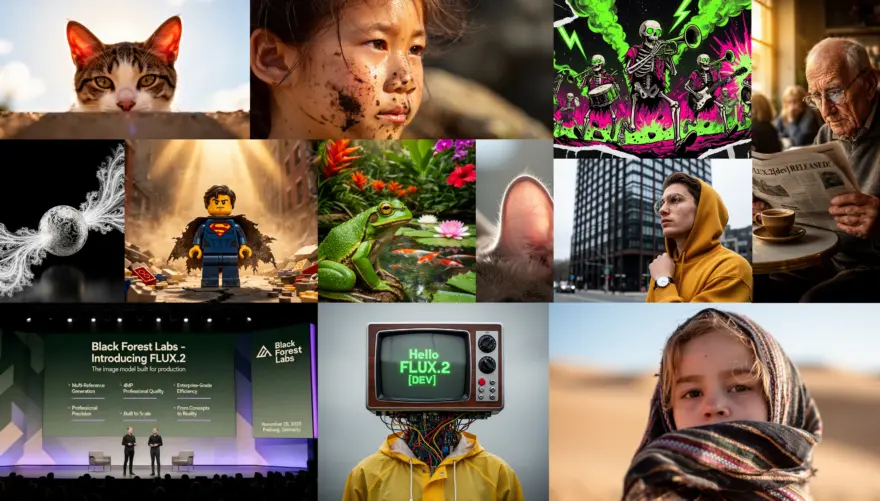
The landscape of open-source AI has shifted seismically. With the release of FLUX.2-dev by Black Forest Labs, the community has moved beyond simple text-to-image generation into the era of reasoning-based visual synthesis.
If you struggled with “stochastic drift” (where your character changes faces between shots) or vague color handling in FLUX.1, FLUX.2 is the answer. It brings native 4MP resolution, hex-code color precision, and unprecedented multi-reference consistency to consumer hardware.
Why FLUX.2 Changes the Game
FLUX.2-dev is not just a larger model; it is a fundamental architectural overhaul. It utilizes a 32-billion parameter Rectified Flow Transformer paired with a Mistral-based Vision-Language Model (VLM).
In plain English: The model doesn’t just “see” keywords; it understands physics, lighting, and spatial relationships. It reads your prompt logically rather than statistically matching tags.
Key Features at a Glance
- Multi-Reference Consistency: Native support for up to 10 reference images. Keep characters, styles, or objects identical across different scenes without complex LoRA training.
- Precision Control: Supports JSON-structured prompting and Hex codes (e.g.,
#FF5733) for exact brand color matching. - Native 4MP: Generates production-ready, 4K-class images without needing upscalers.
- Hardware Efficiency: Despite its massive 32B size, optimized FP8 quantization allows it to run on high-end consumer GPUs (RTX 3090/4090/5090) by streaming weights efficiently.
Core Architecture
The following diagram illustrates how FLUX.2 processes inputs differently from its predecessors, integrating a reasoning engine before generation.
graph TD
    A["User Input (Prompt + Refs)"] --> B["Mistral-based VLM"]
    B --> C["Logical Reasoning & Spatial Planning"]
    C --> D["FLUX.2 Transformer (32B Parameters)"]
    D --> E["Refined Latent Generation"]
    E --> F["New High-Res VAE"]
    F --> G["4MP Output Image"]
Getting Started with FLUX.2-dev in ComfyUI
ComfyUI remains the best way to run FLUX.2 locally. Because the model is split into modular components (Diffusion model, Text Encoder, VAE), strict file placement is required.
1. Required Files
You need to download three specific files from the Hugging Face repository.
| Component | File Name | Target Directory |
|---|---|---|
| Diffusion Model | flux2_dev_fp8mixed.safetensors |
ComfyUI/models/diffusion_models/ |
| Text Encoder | mistral_3_small_flux2_fp8.safetensors |
ComfyUI/models/text_encoders/ |
| VAE | flux2-vae.safetensors |
ComfyUI/models/vae/ |
2. Installation Steps
- Update ComfyUI: FLUX.2 requires new nodes. Go to your
ComfyUI_windows_portablefolder, runupdate/update_comfyui.bat, or usegit pullin your terminal. - Download Weights: Place the files listed in the table above into their respective directories.
- Load the Workflow: Drag the official FLUX.2 example image into your ComfyUI window.
3. The Code: Python (Diffusers)
If you are a developer integrating FLUX.2 into an app, use the diffusers library. Note the use of bfloat16 for memory efficiency.
import torch
from diffusers import Flux2Pipeline
from diffusers.utils import load_image

# Load the pipeline with bfloat16 to save memory
pipe = Flux2Pipeline.from_pretrained(
    "black-forest-labs/FLUX.2-dev",
    torch_dtype=torch.bfloat16,
    device_map="balanced" # Distributes across GPU/CPU if needed
)

# Enable memory slicing for lower VRAM usage
pipe.enable_model_cpu_offload()

# Define Prompt with specific color codes
prompt = "A futuristic cyborg, glossy white armor #FFFFFF, neon blue eyes #00FFFF, cinematic lighting, 4k"

image = pipe(
    prompt,
    height=2048,
    width=2048,
    guidance_scale=3.5,
    num_inference_steps=25,
    max_sequence_length=512
).images[0]

image.save("flux2_output.png")
Advanced Usage: The “Structured Prompt”
One of FLUX.2’s hidden superpowers is understanding structured data. Instead of a paragraph, you can pass pseudo-JSON to strictly define elements.
{
  "subject": "Cyberpunk Street Vendor",
  "lighting": {
    "type": "Volumetric neon",
    "color_palette": ["#FF0099", "#00CCFF"],
    "direction": "Top-down"
  },
  "camera": "50mm, f/1.8, bokeh",
  "style": "Photorealistic, Unreal Engine 5 render"
}
Paste this structure directly into your text prompt node. FLUX.2’s VLM can parse this formatting better than natural language for complex scenes.
Pro-Tips for Maximum Quality
- Use the FP8 Version: The full 32B model requires ~90GB VRAM. The
fp8mixedversion retains 99% of the quality but fits on an RTX 3090/4090 (24GB VRAM) using ComfyUI’s weight streaming. - Multi-Reference is Key: To keep a character consistent, upload 3-5 images of the face in different angles to the “Reference” input nodes. FLUX.2 does not need a LoRA for this; it uses “in-context learning.”
- Lower Steps, Higher Guidance: FLUX.2 converges faster than FLUX.1. You often only need 20-25 steps. However, you can push the Guidance Scale (CFG) slightly higher (3.5 – 4.5) for sharper adherence to complex instructions.
- Text Rendering: When generating text, wrap the exact phrase in quotes and describe the font style explicitly (e.g., text “TipTinker” written in bold sans-serif gold font).
FLUX.2-dev renders previous generation workflows obsolete for professional use cases. By integrating reasoning capabilities and native multi-reference support, it turns AI image generation from a slot machine into a precise design tool.
If you have an RTX 3090 or better, there is no reason to wait. Download the FP8 weights, fire up ComfyUI, and experience the future of open-weight AI.
Ready to build your first consistent AI character? Start by downloading the ComfyUI Examples and testing the multi-reference workflow today.