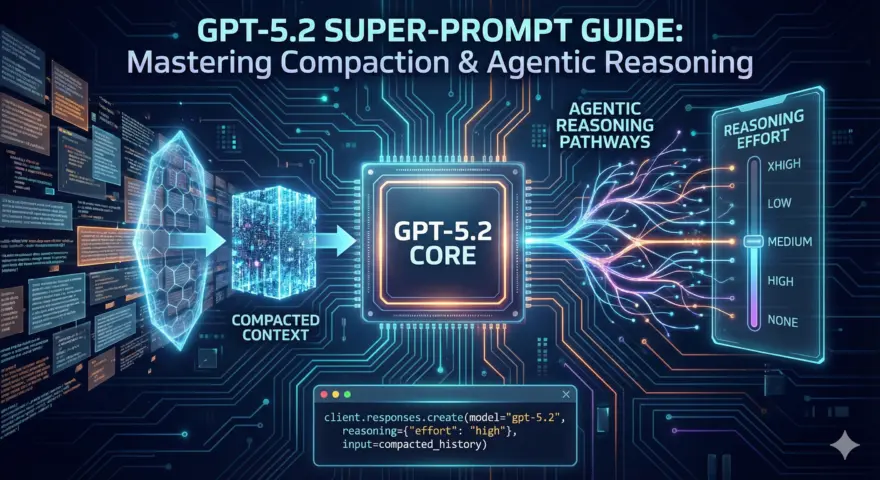
The release of GPT-5.2 yesterday has fundamentally shifted the architecture of production AI agents. While the headlines focus on benchmark scores, the real breakthrough for engineers is the new Compaction API and the granular reasoning_effort controls.
For developers building long-running agents, the pain has always been “context drift”—as conversation history grows, models lose focus, hallucinate constraints, or simply hit hard token limits. RAG is a band-aid; it doesn’t solve the need for sustained, evolving coherent thought.
GPT-5.2 solves this with Latent Context Compaction and deeply steerable “Thinking” modes. This guide rips out the marketing fluff and gives you the implementation strategy to build state-of-the-art agents immediately.
The Core Concept: Latent Compaction & Reasoning Effort
GPT-5.2 introduces two architectural shifts:
- Reasoning Effort: Unlike o1’s opaque reasoning, GPT-5.2 allows you to pin
reasoning_effort(fromnonetoxhigh), trading latency for depth. - Compaction: Instead of summarizing text (which loses nuance), the
/responses/compactendpoint performs a loss-aware compression of the conversation state into opaque, encrypted items. These items preserve the model’s internal “thought process” and task-relevant information while dramatically reducing the token footprint.
The Compaction Loop Architecture
graph TD
    A["User Input"] -->|"JSON Request"| B["GPT-5.2 (Reasoning Effort: High)"]
    B -->|"Response + Internal State"| C["Application Logic"]
    C -->|"History > Threshold?"| D{"Decision"}
    D -- No --> E["Continue Chat"]
    D -- Yes --> F["Call /responses/compact"]
    F -->|"Compress History"| G["Opaque Context Blob"]
    G -->|"Inject into Input"| H["Next Request (Low Token Usage)"]
The Code: Implementing the Compaction Loop
To use these features, you must upgrade to the latest OpenAI Python SDK (v2.11.0 or higher). Note the shift from chat.completions to the new responses namespace.
import os
from openai import OpenAI
import json

# Ensure you are running openai>=2.11.0
client = OpenAI(api_key=os.environ.get("OPENAI_API_KEY"))

def run_agentic_turn(history, user_input, compact=False):
    """
    Executes a turn with GPT-5.2, optionally compacting history.
    """
    # 1. Append user input
    history.append({"role": "user", "content": user_input})

    # 2. Call GPT-5.2 with explicit reasoning effort
    response = client.responses.create(
        model="gpt-5.2",
        reasoning={"effort": "high"}, # Options: none, low, medium, high, xhigh
        input=history
    )

    output_message = response.output[0]
    print(f"Agent: {output_message.content}")

    # 3. Add response to history
    # Note: We store the raw model dump to preserve metadata
    history.append(output_message.model_dump())

    # 4. Compaction Logic (The Breakthrough)
    if compact:
        print("Compacting context...")
        compacted_response = client.responses.compact(
            model="gpt-5.2",
            input=history
        )

        # The history is now replaced by the single opaque compacted item
        # explicitly designed for continuation.
        return [compacted_response.model_dump()]

    return history

# Example Usage
conversation = []
conversation = run_agentic_turn(conversation, "Draft a Python backend for a high-frequency trading bot.")
conversation = run_agentic_turn(conversation, "Refactor the websocket handler to use asyncio.", compact=True)
conversation = run_agentic_turn(conversation, "Now add a risk management layer.")
Step-by-Step Implementation Guide
1. Pin Your Reasoning Effort
Don’t rely on defaults. GPT-5.2 defaults to medium in some endpoints but none in others (like 4o migration).
- Use
nonefor simple chats, migrations from GPT-4o, and latency-sensitive tasks. - Use
highorxhighonly for complex planning, coding architecture, or deep research. - Action: Update your API calls to explicitly set
reasoning={"effort": "medium"}to avoid “thinking traps” that spike costs.
2. Implement “Scope Discipline” Prompts
GPT-5.2 is highly steerable but can be over-eager. To prevent agents from inventing features (scope creep), you must use the new XML-delimited constraint patterns.
Copy this block into your system instructions (now passed via the instructions parameter or developer role):
<design_and_scope_constraints>
- Implement EXACTLY and ONLY what the user requests.
- No extra features, no added components, no UX embellishments.
- If any instruction is ambiguous, choose the simplest valid interpretation.
- Do NOT invent new UI elements or tokens unless explicitly requested.
</design_and_scope_constraints>
3. Deploy the “Compaction” Strategy
Compaction is not just summarization; it’s state preservation.
- When to compact: After major milestones (e.g., finishing a module code) or when context exceeds ~20k tokens.
- Do NOT compact every turn: It adds latency and cost.
- Treat as Opaque: Never try to parse the compacted item. It is an encrypted vector blob meant only for the model.
4. Master Agentic Steerability
For autonomous loops, use the <user_updates_spec> to control how the model reports back. This reduces “chatter” and keeps the context window clean.
<user_updates_spec>
- Send brief updates (1–2 sentences) ONLY when you start a new major phase.
- Avoid narrating routine tool calls ("reading file...", "running tests...").
- Each update must include at least one concrete outcome ("Found X", "Confirmed Y").
</user_updates_spec>
Conclusion
GPT-5.2 is a massive leap not just in intelligence, but in controllability. The ability to compact context essentially grants “infinite memory” for long-horizon tasks without the degradation of traditional summarization. By combining this with rigorous <scope_constraints>, you can build agents that actually finish the job without getting lost in the noise.
- Read the full GPT-5.2 Prompting Guide
- Check the Release Notes
- Get the SDK: OpenAI Python v2.11.0